
QuatroHub: Production Data at Your Fingertips
Production decisions depend on knowing what is happening on the line. Output, productivity, quality and downtime provide different parts of that picture—and become more useful when reviewed together.
QuatroHub brings connected production information into one view. Working with data captured by QuatroPBC, it helps teams monitor output, hourly productivity, batch efficiency and downtime across their plants, with access from a computer or phone.
Seeing more than the production total
A shift total answers one question: how much was produced? It does not explain how consistently the line operated or where time was lost.
Hourly productivity adds context. A shift can finish close to its target while still containing periods of reduced output. Equally, a lower total may reflect a planned changeover rather than an unexpected production problem.
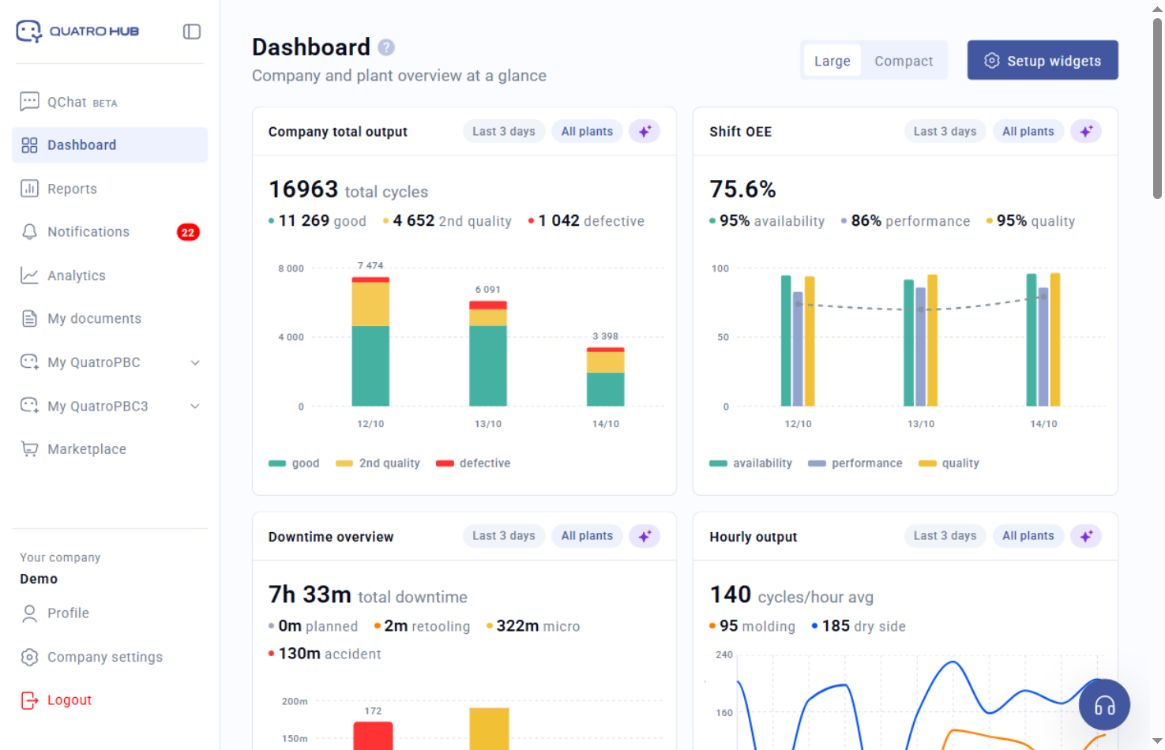
A practical review considers several questions together:
- Is output progressing as expected?
- When did productivity change?
- Which batches were running at that time?
- Did downtime or quality changes occur during the same period?
This approach helps teams identify where to investigate before deciding what action to take.
Following a change back to its production context
An overview is most useful when it provides a route to the underlying records. QuatroHub supports navigation from plant-level indicators to shifts, batches, events and individual cycles. Its reporting and production history help specialists examine the period associated with a change.
That context matters. Two shifts with similar output can have different operating patterns. One may contain a long interruption; another may show repeated short stops or slower production.
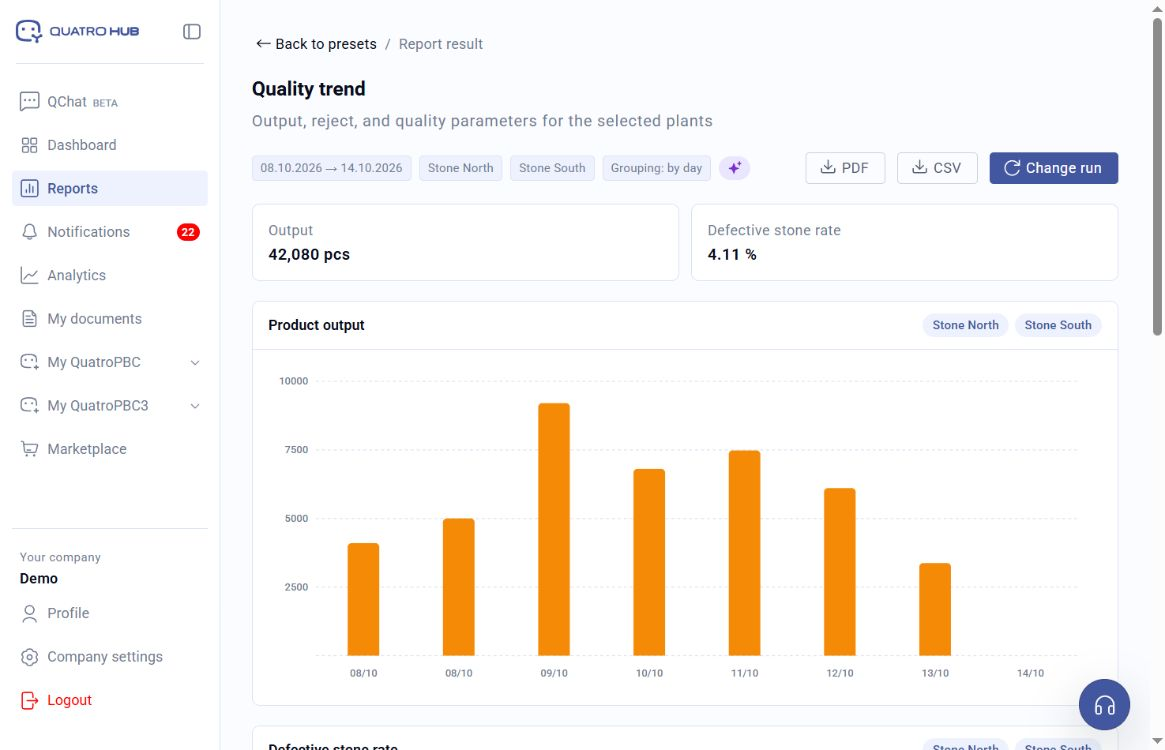
Reviewing the sequence helps distinguish these situations. Establishing the cause still requires engineering assessment and, where necessary, checks on the line. Comparisons should also account for the completeness and freshness of the available data.
Monitoring connected plants from one place
When responsibility covers several plants, collecting separate updates can make comparisons difficult. QuatroHub provides a shared view of connected production information, including access on a phone. This gives managers a way to review plant performance while away from a workstation.
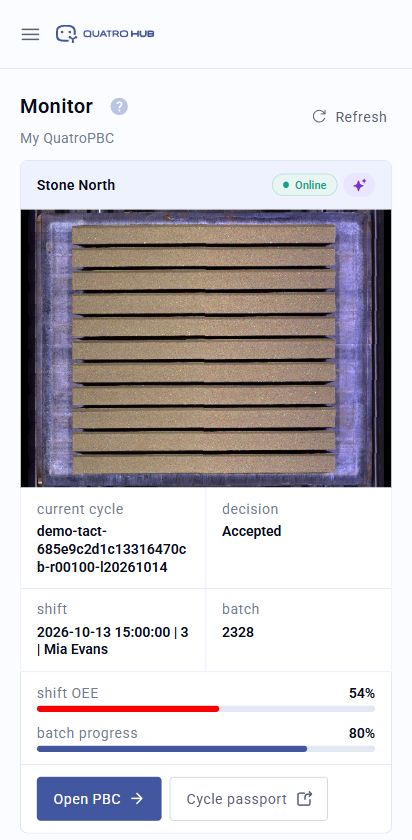
For meaningful comparisons, the selected periods and units should be consistent. Product mix, planned operating time and changeovers also deserve consideration before interpreting differences as a performance gap.
Using alerts to direct attention
Alerts can draw attention to low OEE, quality drops and other important production events. Their usefulness depends on what happens next. A practical notification setup should establish who receives an alert, which conditions trigger it and who is responsible for reviewing the situation.
An alert should lead to a focused check of the relevant period and production records. It provides a starting point for investigation rather than a complete explanation of the problem.
Asking questions with QChat
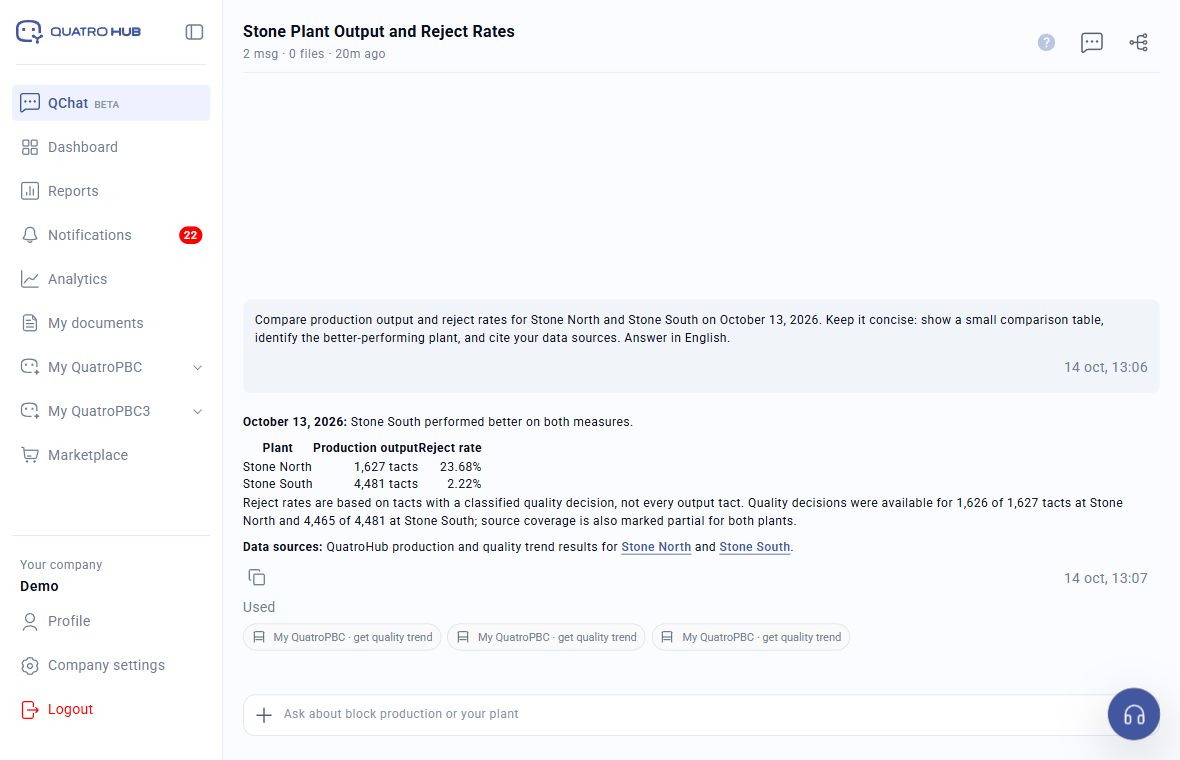
QuatroHub also includes QChat, which supports questions in plain language using connected production data, an industry knowledge base and supplied documents. Source references help users check the basis of an answer.
For production analysis, a focused question is often more useful than a broad request. For example: “Compare output and downtime for these two shifts, and show which records support the comparison.” The answer should be assessed alongside the available data and its coverage.
Building a useful daily review
A practical monitoring routine can start with a small set of indicators. First, review output against the production plan. Then examine periods where hourly productivity changed, check associated downtime and review the relevant quality information.
Record the issue being investigated and the action taken. During the next review, compare the results under reasonably comparable conditions. This creates continuity between observing a change, investigating it and checking whether an intervention helped.
Frequently asked questions
Can QuatroHub show information from several plants?
Yes. It supports an overview of connected plants. Available information depends on the data connections and user permissions established for the installation.
Can production information be viewed on a phone?
Yes. QuatroHub supports access on a phone, subject to the configured connection and access arrangements.
Does a drop in OEE identify the cause of a problem?
No. It signals a change in performance. Reviewing the underlying production records helps determine what requires investigation.
What needs to be agreed before access is enabled?
The available plant data, its connection, user permissions and access arrangements should be reviewed. Network and offline requirements also need confirmation for the supplied configuration.
QuatroHub gives production teams a common place to review connected information. Its practical value comes from linking that visibility with clear responsibilities, informed investigation and follow-up on the factory floor.
All news