
AI Production Analysis with QuatroPBC, QuatroHub and MCP
QuatroPBC collects inspection and production data from concrete manufacturing lines. QuatroHub brings connected production information together for monitoring and analysis. MCP integration provides a way for compatible AI applications to query available data and help specialists investigate output, quality and downtime.
This approach allows production teams to start with a practical question: How did the shift perform? Which stoppages consumed the most time? How did product quality change between batches?
The aim is to make production information easier to investigate and reduce the time spent assembling reports before making a decision.
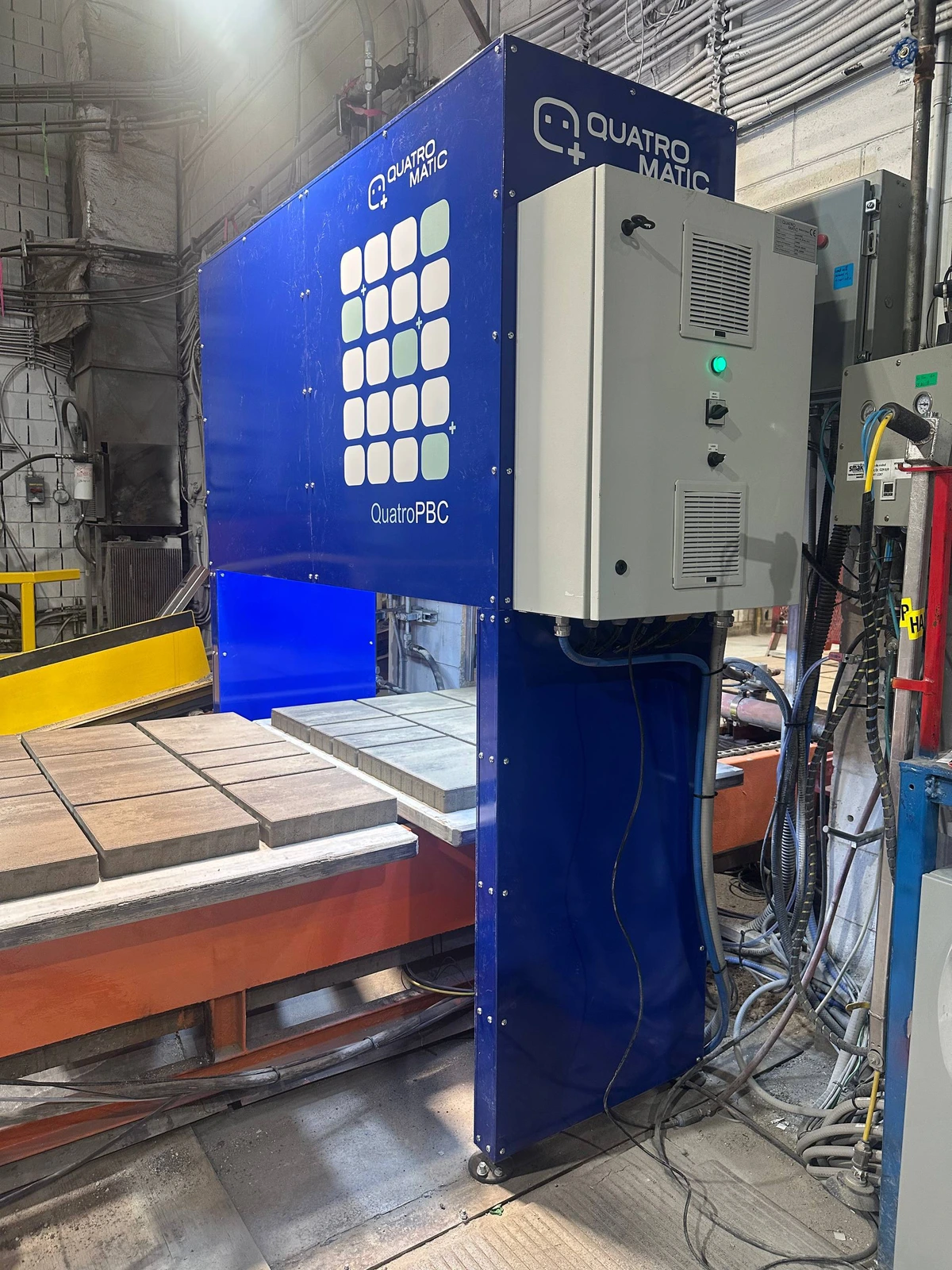
How QuatroPBC, QuatroHub and MCP work together
Each component has a different role.
QuatroPBC provides the production data foundation. It uses machine vision and laser measurements to inspect concrete products, including height deviations and surface defects. Available production records provide context for analysing line performance.
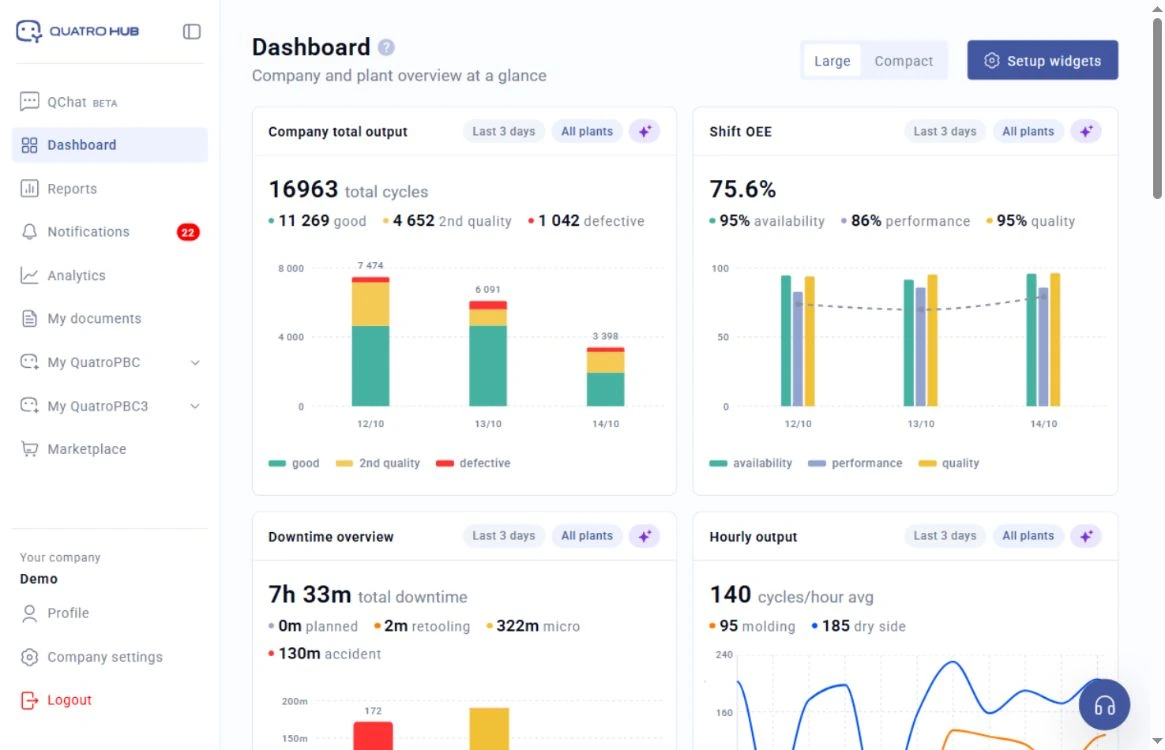
QuatroHub supports monitoring and analysis. It brings connected information into dashboards, reports and analytical tools. Its built-in AI assistant, QChat, helps users investigate production data.
MCP connects compatible AI applications to external tools and data. Model Context Protocol defines how an application discovers available tools, requests information and receives results. The operations available to an agent depend on the integration and its permissions. MCP architecture documentation.
Together, these components support a workflow from recorded measurements and events to questions, comparisons and evidence-based investigation.
What production information can an AI assistant analyse?
Depending on the installed configuration and connected tools, analysis can cover:
- production output by period, shift, line or plant;
- quality classifications and recorded defects;
- available height, density and colour-related indicators;
- downtime events and their duration;
- differences between comparable batches or production periods.
The meaning of each measure matters. Production cycles, inspected products and saleable units should be identified separately. Quality percentages should state which records were included in the calculation.
Which AI applications can be connected?
Quatromatic’s integration concept includes ChatGPT, Claude, agents built with DeepSeek or Qwen, and a company’s own AI agent.
The connection method depends on the application and environment. ChatGPT and Claude provide mechanisms for custom MCP connections. Qwen-Agent supports MCP, while a DeepSeek-based solution requires an agent environment that connects the model’s tool calls to the integration.
Before deployment, the selected application, supported operations and access permissions should be confirmed. Support for a model family does not mean that every consumer chat application provides the same connection options.
Practical questions for production teams
How did the shift perform?
Compare the last two completed shifts on the same line. Show total output, accepted output and downtime. State the units used and account for differences in product type.
This comparison helps identify whether lower accepted output coincided with less operating time, a change in the product mix or a higher proportion of quality deviations.
Which stoppages caused the greatest time loss?
Group last week’s stoppages by their recorded causes. Show the number of events and total duration for each group. List events without a recorded cause separately.
Repeated short stops can contribute substantial lost time. Twelve two-minute stops, for example, add up to 24 minutes. Where a cause has not been recorded, the answer should preserve that uncertainty.
How did quality differ between batches?
Compare two batches of the same product. Show the number of inspected products, the number and percentage with height deviations, and the recorded surface defects. Explain the denominator used for each percentage.
This makes comparisons easier to interpret when batch sizes differ. The number of defects should also be distinguished from the number of affected products: one product may have several defects.
What a verifiable AI answer looks like
A useful answer identifies the production period, plant or line, measurement units, source records and any gaps in coverage.
The QChat example below compares two plants and explains that reject rates are calculated from cycles with a classified quality decision. It also identifies incomplete source coverage and links to the underlying results.
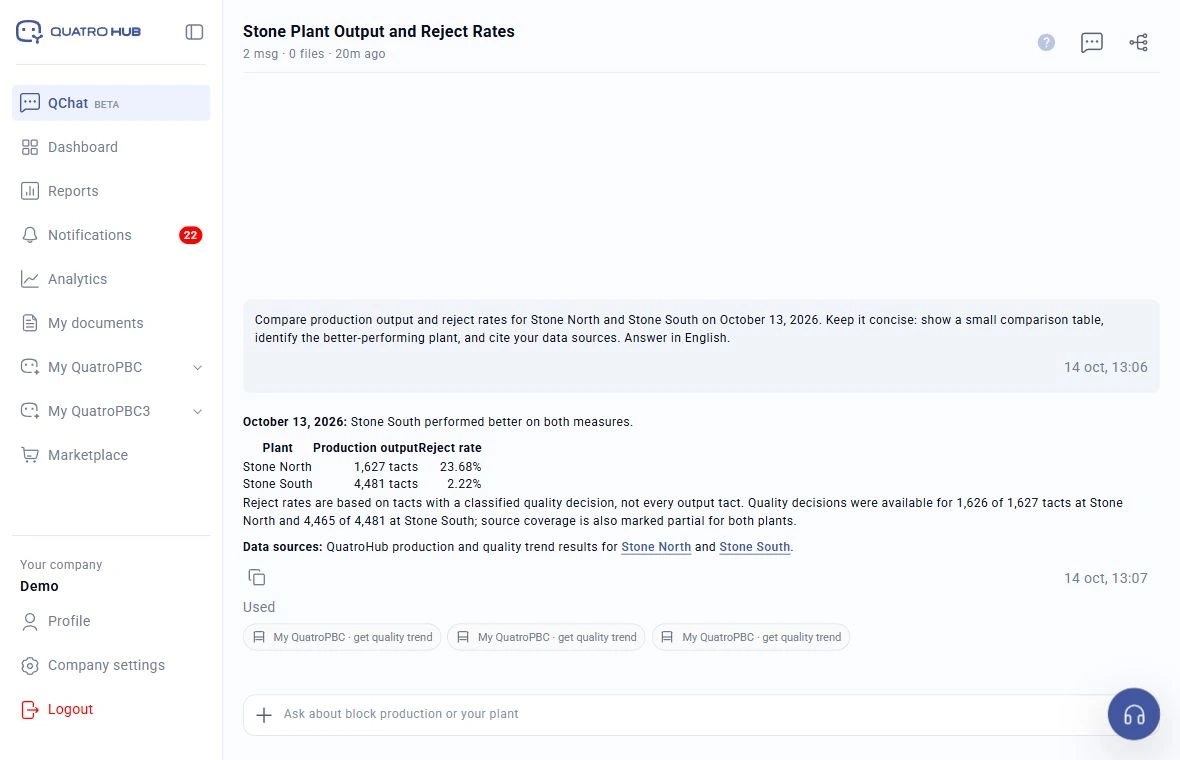
The dashboard and conversation show different selections, so their figures should be read as separate examples.
How to introduce AI-assisted production analysis
Start with one line and one repeatable task, such as reviewing a completed shift.
- Define the question. Identify the decision the analysis should support.
- Confirm the available data. Check the required records and supported integration tools.
- Choose the application and permissions. Agree on the connection method and appropriate access.
- Set calculation rules. Define shift boundaries, time zones, output units and quality criteria.
- Validate the answers. Compare results with the original production reports.
- Measure the benefit. Compare preparation time, including the time required to check the AI-generated answer.
Frequently asked questions
How is external MCP access different from QChat?
QChat is the AI assistant built into QuatroHub. External MCP access supports working with available tools and data from another compatible AI application. The choice depends on the team’s workflow and integration requirements.
Can an AI agent determine the cause of defects?
An agent can compare available records and highlight patterns for investigation. Establishing a cause requires sufficient evidence about the process, equipment and operating conditions. Events occurring at the same time provide a starting point for investigation.
Can an existing QuatroPBC installation be connected?
Connection options depend on the installed version, configuration and available data interfaces. A practical starting point is one production line and one clearly defined analytical question.
AI-assisted analysis is most useful when it connects a specific production question to traceable information. QuatroPBC, QuatroHub and compatible AI tools can support that process by helping specialists move from recorded data to a focused, verifiable investigation.
All news